
Directory Submission: Automated Listings Without the Manual Form-Filling

Table of Contents
- Key takeaways
- What is directory submission?
- How Directory Submission works
- 1. Choose your website
- 2. Filter for the right directories
- 3. Submit in sequence
- 4. Track every submission
- 5. Review the reports
- Directory submission best practices
- Directory Submission vs. other tools in My PR Manager
- Who Directory Submission is for
- Frequently asked questions
- Is directory submission fully automatic?
- Can I avoid directories that need a reciprocal link?
- How do I know if my submission was approved?
- Can I filter by language?
- Are directory links still worth it?
- Can I export my submission history?
- Save hours on directory listings
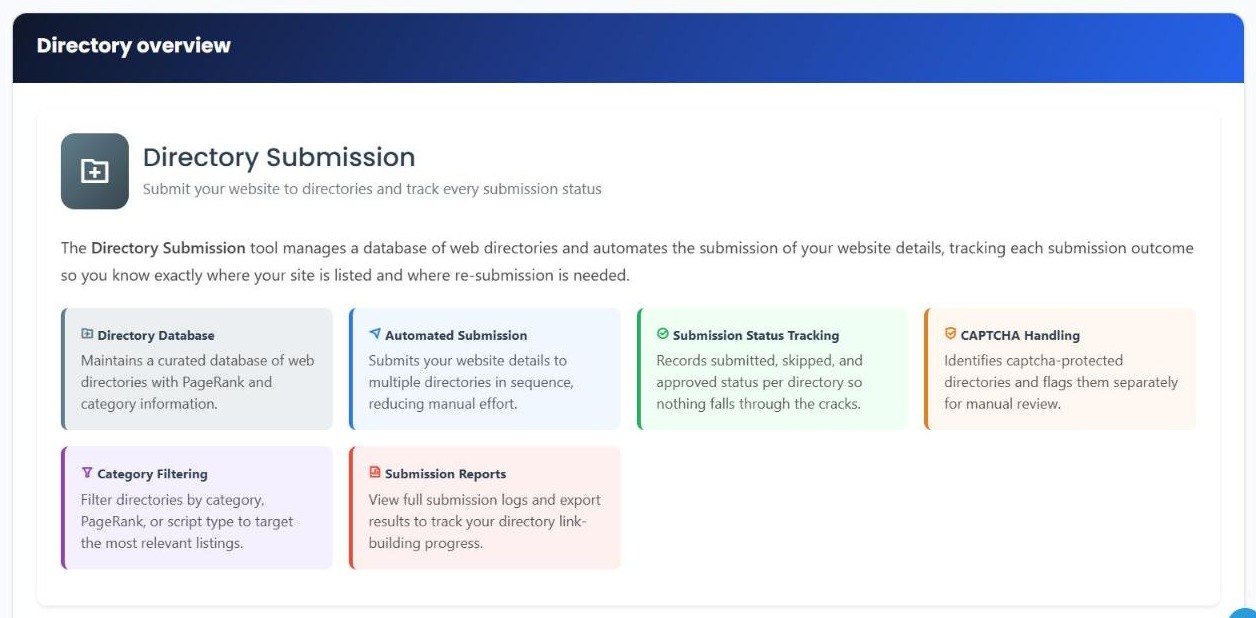
Web directories are one of the oldest ways to get your website listed and discovered, and a good directory listing can still add a useful link and another place where your business is mentioned. The problem is the work: every directory has its own submission form, its own categories and its own rules, and filling them in one by one takes hours. Directory Submission in My PR Manager speeds that up. It keeps a curated database of web directories, lets you filter for the ones worth submitting to, submits your website details in sequence, and records the outcome of every submission so you always know where your site is listed.
Key takeaways
- Directory Submission keeps a curated database of web directories, with PageRank and category information.
- Filter directories by PageRank, language, and whether they need a captcha or a reciprocal link.
- Submit your website details to multiple directories in sequence, instead of filling in each form by hand.
- Directories protected by a captcha are flagged separately for you to review manually.
- Every submission is tracked as submitted, skipped or approved, with full reports you can export.
What is directory submission?
Directory submission means listing your website in online directories: sites that organise links to other websites by category, location or industry. A listing on a relevant, well-maintained directory can help people and search engines discover your site, and adds to the places your business is mentioned online.
Quality matters far more than quantity. A handful of relevant, reputable directories is worth more than hundreds of low-quality ones, and filtering is what makes the difference.
How Directory Submission works
1. Choose your website
Open Automatic Submission and pick the website you want to submit. Directory Submission uses the details from your project, so you don't need to type them into every form.
2. Filter for the right directories
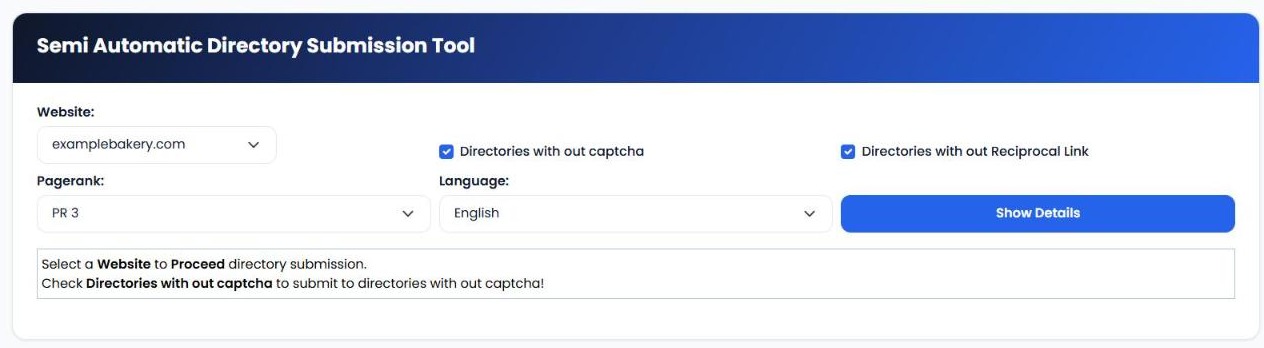
Narrow the directory list before you submit. You can choose to show only directories without captcha and directories without a reciprocal link requirement, set a minimum PageRank, and pick a language. Then click Show Details to see the matching directories.
3. Submit in sequence
The tool submits your website details to the matching directories one after another, so you're not filling in the same information again and again. Directories that use a captcha are flagged separately for you to complete manually.
4. Track every submission
Each directory's outcome is recorded: submitted, skipped or approved. Use Check Submission Status to recheck submissions later and see which ones have been approved.
5. Review the reports
Open Submission Reports to see the full log of where your site has been submitted and what happened, and export the results to track your progress over time.
| Feature | What it does for you |
|---|---|
| Directory database | A curated list of web directories with PageRank and category information. |
| Filters | Show only directories that match your PageRank, language, captcha and reciprocal-link preferences. |
| Automatic Submission | Submits your website details to multiple directories in sequence. |
| Captcha handling | Identifies captcha-protected directories and flags them for manual review. |
| Check Submission Status | Rechecks submissions to see which have been approved. |
| Skipped Directories | Lists directories that were skipped, so you can decide whether to try them later. |
| Submission Reports | Full submission logs, with export, to track your progress. |
Directory submission best practices
- Prefer relevant directories. Industry and local directories that match your business are the most useful.
- Set a sensible minimum PageRank to skip low-value directories.
- Avoid reciprocal-link requirements unless the directory is genuinely relevant. Link swaps rarely add value.
- Keep your details consistent. Use the same business name, address, phone and website everywhere.
- Don't rely on directories alone. Combine them with great content, a healthy website and genuine links from relevant sites. Search engines treat large numbers of low-quality directory links as a weak, and sometimes negative, signal.
Directory Submission vs. other tools in My PR Manager
| Tool | Best for |
|---|---|
| Directory Submission | Submitting your website to web directories in sequence and tracking the results. |
| Business Listing Manager | Checking your business listings on 13 major platforms for missing or inconsistent details. |
| Links Inspector | Monitoring who links to your site. |
| Blog Commentor | Building links with genuine blog comments. |
Who Directory Submission is for
- Small businesses that want their website listed in relevant directories without hours of form-filling.
- SEO agencies handling directory listings for several clients.
- New websites looking for a first set of listings to help them get discovered.
Frequently asked questions
Is directory submission fully automatic?
It's semi-automatic. The tool submits your details to directories in sequence, but captcha-protected directories are flagged for you to complete manually.
Can I avoid directories that need a reciprocal link?
Yes. Tick "Directories without Reciprocal Link" to only show directories that don't ask for a link back.
How do I know if my submission was approved?
Each submission is tracked as submitted, skipped or approved. Use Check Submission Status to recheck pending submissions.
Can I filter by language?
Yes. Choose a language to only see directories in that language, which is useful for targeting a specific country or audience.
Are directory links still worth it?
Listings on relevant, quality directories can help with discovery and consistent business mentions. Low-quality directories add little value, so filter carefully and combine directories with other link-building and content work.
Can I export my submission history?
Yes. Submission Reports shows your full log and lets you export the results.
Save hours on directory listings
Open Directory Submission from the left menu in My PR Manager, choose your website, set your filters and start submitting. You'll have a clear record of every directory and its outcome. New to My PR Manager? Start your free trial.
Related guides: Business Listing Manager · Links Inspector · Page URL Indexer · Blog Commentor


